 English
 AI For End User
This course is a practical, tool-agnostic training program designed for professionals who want to leverage artificial intelligence in their daily work without needing a background in data science or programming. Participants will learn how AI interprets and processes human language, how to interact with AI tools effectively, and how to integrate AI into everyday tasks to enhance productivity, decision-making, and creativity.
- 4.9/5.0
- 2457 Enrolled
- Last updated Jun 28, 2026
Course Overview
- AI for End Users” is a comprehensive, practical course designed for professionals who want to leverage the power of artificial intelligence in their daily work, without needing any prior programming or data science experience. The course focuses on helping participants understand how modern AI systems interpret human language, generate outputs, and assist in decision-making, creativity, and problem-solving.
Through a hands-on, real-world approach, participants will learn how to use AI tools to:
- Automate repetitive tasks and streamline workflows, saving time and effort.
- Enhance productivity in writing, data analysis, scheduling, and research.
- Develop structured, repeatable workflows that integrate AI at key stages.
- Critically evaluate AI outputs for accuracy, relevance, and quality.
- Apply AI solutions ethically, responsibly, and effectively in professional settings.
- The course combines theory with practical exercises, enabling learners to experience AI in action and understand its potential and limitations. By the end of the program, participants will have the confidence and skills to incorporate AI into their daily work, drive efficiency, and make more informed decisions.
- Who
Should Take This Course:
This course is ideal for professionals, managers, and team members across industries who want to harness AI to improve workflow, enhance productivity, and stay competitive in a technology-driven environment.
Course Outlines
Core Competencies and Techniques
Participants in the AI Skills Training Program will develop a deep, practical understanding of how to apply artificial intelligence tools to real-world tasks in a structured, efficient, and ethical manner. The program emphasizes hands-on mastery of prompt design, chaining, and optimization — teaching learners how to combine multiple AI interactions into repeatable mini-workflows that deliver consistent, high-quality outcomes.
Throughout the training, participants will learn how to:
- Chain prompts together to build end-to-end task automations, with quality assurance checkpoints at every stage.
- Apply AI tools to accelerate writing, data management, research, visual content generation, and presentations.
- Integrate AI assistance into existing productivity software such as document editors,spreadsheets, and email systems.
- Evaluate and refine AI outputs using structured rubrics, checklists, and red-flag indicators that detect potential inaccuracies or hallucinations.
- Ensure data security and privacy-by-design, embedding protective measures in every workflow to safeguard sensitive information.
- Collaborate responsibly with AI by fostering bias awareness,transparency, explainability, and auditability.
- The program instills a mindset of critical engagement with AI — empowering learners to question, verify, and improve machine-generated outputs instead of accepting them passively. Participants will finish with a portfolio of reliable, ethical, and repeatable AI-driven workflows tailored to their professional roles.
Assessment & Certification
- The assessment framework is designed to validate both conceptual understanding and practical application. It consists of multiple checkpoints that progressively measure the learner’s ability to apply AI techniques to real scenarios.
Core Assessments
- Three Hands-On Labs: Each lab focuses on a distinct skill area — writing, analysis, and spreadsheet/data management. Learners complete guided exercises evaluated using transparent rubrics that measure clarity, efficiency, and adherence to ethical standards.
- Capstone Project: For the final assessment, participants must design, document, and demonstrate a 30-minute AI-assisted workflow that mirrors a realistic workplace scenario. This project tests their ability to chain prompts, validate outputs, and optimize processes end-to-end.
Certification Requirements
- To achieve certification, participants must:
- Score at least 80% across all assessment rubrics.
- Successfully complete the capstone project with documented outputs and a presentation.
- Demonstrate a clear understanding of ethical AI use, privacy protection, and quality assurance principles.
- Certified graduates receive a Digital Certificate of Achievement, along with a personal AI toolkit that includes reusable templates, prompt libraries, and workflow documentation to support continued learning and implementation.
Modular Syllabus Overview
- The program is structured into modular units that blend theory with guided practice. Each module includes demonstrations, exercises, and reflection prompts designed for incremental skill-building.
- AI Fundamentals for End Users (60
minutes)
Introduces what AI can and cannot do. Covers the underlying logic of AI systems, their strengths, limitations, responsible use, and privacy essentials for non-technical professionals. - Prompting
101 (60 minutes)
Teaches the foundations of effective prompting — defining roles, setting constraints, referencing examples, and designing stepwise prompts with verification loops. - Prompt
Patterns (90 minutes)
Presents ten core prompting patterns, including instructional, analytical, evaluative, and generative frameworks. Includes reusable templates and before-and- after comparisons for clarity. - Writing
& Communication (60 minutes)
Focuses on producing professional content with AI — from emails and reports to meeting summaries — while managing tone, structure, and citation practices. - Research
& Synthesis (60 minutes)
Guides learners in gathering and comparing sources, validating information, identifying bias, and producing executive summaries or evidence-based insights. - Spreadsheets
& Data Tasks (60 minutes)
Teaches how to use AI for table cleanup, formula design, what-if analysis, CSV validation, and quick data visualization. - Presentations
& Visuals (45 minutes)
Explores how to convert outlines into slides, generate visual aids, create speaker notes, and produce compliant AI-generated images. - Automation Lite (45 minutes)
Introduces the concept of low-code automation — combining prompt packs, checklists, and cross-application handoffs between tools such as email, documents, and spreadsheets. - Quality
& Risk Management (45 minutes)
Covers identifying and mitigating hallucination risks, using red-flag detectors, implementing human-in-the-loop verification, and documenting decision trails. - Team Collaboration (30 minutes) Emphasizes shared templates, version control, structured feedback loops, and governance frameworks for ethical AI adoption within teams.
- Capstone
Studio (90 minutes)
A guided lab where learners plan, test, and refine a complete AI-assisted workflow, including metrics, risk mapping, and improvement strategies. - Showcase
& Certification (30 minutes)
Features live presentations of capstone projects, peer feedback, and discussions on next steps for AI integration within the learner’s organization.
Included Templates
To support consistency and scalability, the program provides participants with a suite of customizable templates:
- Prompt Canvas: A visual framework capturing the goal, input data, constraints, process steps, validation checks, and expected outputs.
- Red-Flag Checklist: A quality and ethics control sheet focused on privacy, bias detection, citation integrity, and reproducibility.
- Capstone Plan: A structured planning tool outlining the problem, required data, workflow design, risks, performance metrics, and ROI expectations.
- Team Template Pack: Includes ready-to-use templates for email writing, report generation, presentation outlines, and spreadsheet cleanup processes.
- Each template is designed for adaptability and can be embedded into existing digital platforms, such as Microsoft Office, Google Workspace, or enterprise productivity suites.
Customization Options
- The AI Skills Training Program is highly adaptable and can be tailored to meet specific organizational, departmental, or sectoral needs.
- Tool Flexibility: Modules can integrate various AI platforms, assistants, or productivity suites, ensuring compatibility with your organization’s preferred software ecosystem.
- Industry-Specific Labs: Optional lab modules can be added to address specialized use cases in fields such as finance, operations, healthcare, customer service, and education.
- Localization & Compliance: Examples, data practices, and ethics guidelines can be localized to align with regional regulations and internal governance frameworks.
- Scalable Delivery: The program supports multiple delivery modes — instructor-led workshops, blended learning, or fully self-paced e-learning — to suit different team structures and timeframes.
Through these customization options, the program ensures that every organization gains a fit-for-purpose AI literacy and workflow framework that drives measurable performance improvements while maintaining ethical and compliant AI adoption.
Course Objectives
Practical AI Competencies for Everyday Work
Participants in this program will gain a comprehensive understanding of how to integrate AI effectively into their daily workflows across a variety of tasks, ensuring both productivity and responsible usage. Key competencies include:
- Identify AI Use Cases Across Daily Work
- Recognize where AI can add value in writing, analysis, presentations, and administrative support.
- Understand which tasks are best suited for automation, which benefit from AI-assisted creativity, and which require human oversight.
- Map daily activities to AI tools to streamline workflows and eliminate repetitive tasks without compromising quality.
- Prioritize Privacy and Data Protection.
- Design and use privacy-first prompts that minimize exposure of sensitive or confidential information.
- Learn techniques for anonymizing or protecting data when using AI in documents, spreadsheets, emails, or reports.
- Implement best practices for secure data storage, handling, and sharing to comply with organizational policies and legal regulations.
- Apply Core Prompting Patterns
- Master repeatable prompt structures to consistently achieve high-quality outputs.
- Use role-based prompts, stepwise instructions, and critique-improve loops to enhance clarity and accuracy.
- Understand how to adapt prompts to different types of tasks — writing, summarization, data analysis, and creative generation.
- Build Mini-Workflows with Quality Checks
- Combine multiple AI prompts into mini-workflows for recurring tasks such as report drafting, email generation, or data review.
- Introduce quality control checkpoints at each stage to detect errors, reduce hallucinations, and validate outputs.
Learn how to document workflows so that they can be reused by teams or scaled across departments.
Measure Impact and Report ROI
- Track time saved, improvements in output quality, and productivity gains to quantify the benefits of AI integration.
- Use simple metrics to evaluate efficiency uplift, error reduction, and cost savings.
- Prepare clear reports and dashboards to communicate ROI to stakeholders and leadership.
Collaborate Responsibly
Maintain audit trails, version control, and proper citations to ensure transparency and accountability.
Encourage team collaboration by sharing prompts, workflows, and best practices securely.
Promote ethical AI usage, including awareness of bias, fairness, and reproducibility.
Develop a team culture of verification and human-in-the-loop oversight to prevent errors and enhance trust in AI outputs.
By mastering these competencies, learners will be able to use AI confidently as a productivity partner, transforming daily work with efficiency, accuracy, and ethical responsibility — ultimately creating repeatable, measurable, and collaborative workflows that scale across teams and projects.
Course Prerequisites
Participant Requirements & Preparation
- This course is designed to be accessible to non-technical users, requiring only basic computer literacy and comfort with web-based applications. No prior coding knowledge is needed. To ensure a smooth learning experience, participants should meet the following requirements:
Technical Requirements
- Device: A laptop or desktop computer is recommended. Tablets can be used, but some exercises may be easier on a larger screen.
- Browser: A modern web browser such as Chrome, Edge, Safari, or Firefox is required. Ensure your browser is updated to the latest version for optimal performance.
- Internet Connection: A stable and reasonably fast internet connection is essential, as the course includes online AI tools and interactive exercises.
Practical Preparation
- Bring Real Work Tasks: Participants are encouraged to bring 2–3 real-world tasks they perform weekly — for example, writing emails, creating reports, managing spreadsheets, or preparing presentations.
- Using actual tasks ensures that exercises are highly practical, immediately applicable, and relatable to your work.
- Hands-On Practice: If possible, have access to an AI tool such as ChatGPT or an equivalent platform to complete exercises and practice prompts in real time.
Mindset & Learning Habits
- Prompting Discipline: Be ready to follow structured prompting habits, including checklists, critique-and-improve loops, and verification steps. These habits will ensure high-quality outputs and minimize errors.
- Verification Skills: Learn to review and validate AI-generated outputs rather than accepting them at face value. This practice is crucial for maintaining accuracy and trustworthiness in your work.
Ethics & Privacy
- Data Protection: Always prioritize ethics and privacy. Use non-confidential data unless you have explicit approval to use sensitive information.
- Organizational Policies: Respect your organization’s policies regarding data handling, AI usage, and information sharing.
- Responsible AI Use: Understand the potential for bias, errors, or hallucinations in AI outputs and adopt a critical mindset when evaluating results.
Optional Enhancements
- AI Tool Familiarity: While not mandatory, prior exposure to AI tools such as virtual assistants, chatbots, or writing aides can accelerate learning.
- Team Collaboration: Participants may optionally bring examples of collaborative workflows (shared documents, email threads, or project reports) to explore AI-assisted teamwork scenarios.
By meeting these requirements, participants will be fully prepared to engage with the course material, gain hands-on experience, and immediately apply AI techniques to their daily work — all while maintaining ethical, responsible, and secure practices.
Course Schedule
| Date | Days Left | Training Location | |
|---|---|---|---|
No schedules available | |||
Our Customer Reviews
4.9
(*)(*)(*)(*)(*)
Excellent
(*)(*)(*)(*)(*)
(*)(*)(*)(*)( )
( )( )( )( )( )
( )( )( )( )( )
( )( )( )( )( )
Sarah Whitman
Cut my weekly reporting time from 5 hours to 90 minutes using prompt templates and spreadsheet automations.
(*)(*)(*)(*)(*)
Leo Grant
Shipped an AI assistant for ticket triage; backlog SLA improved by ~22% within a month.
(*)(*)(*)(*)(*)
Amelia Nasser
Non-technical teammates adopted it in a day; quick wins kept momentum high across operations.
(*)(*)(*)(*)(*)
This course includes
- Duration35 h
- VendoriExperts
- CategoryAI
- CertificateYes
Course Profile
Course Quiz
Test your knowledge with our course quiz! Answer a series of questions related to AI For End User.
Similar Courses
AI For End User Plus
This advanced lesson builds on foundational AI knowledge to help users unlock the full potential of AI tools in personal and professional settings. Learners will explore more powerful features of AI platforms, gain hands-on experience with smart assistants, content generators, and automation tools, and learn strategies for integrating AI into workflows. The course also emphasizes data awareness, ethical use, and decision-making with AI support—empowering users to use AI responsibly and effectively in real-world scenarios.
- 40 h 4.9 (1953)
AI for Tripling Productivity
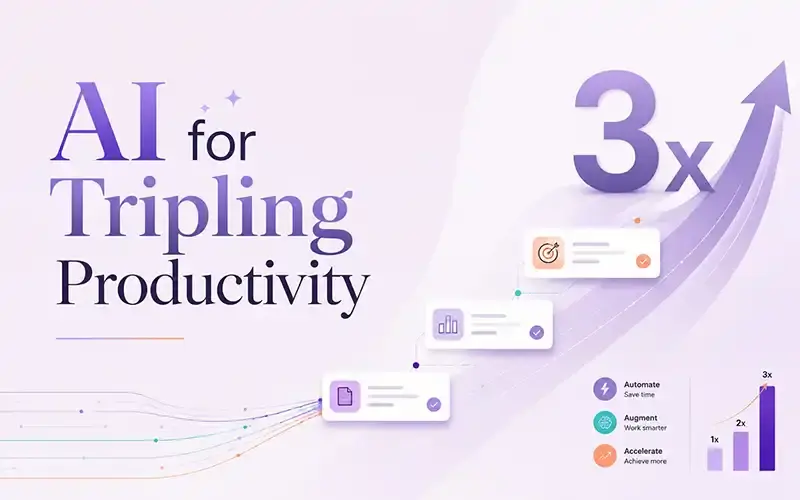
AI for End Users Plus is an intermediate-level lesson designed to deepen the skills of users who already understand the basics of artificial intelligence. This course focuses on applying advanced AI tools to real-world tasks, enhancing productivity, creativity, and efficiency in professional and personal contexts. Learners will explore features such as AI-powered content creation, smart assistants, task automation, and data-driven decision support. The course also covers responsible AI use, including ethical considerations, privacy concerns, and how to critically evaluate AI-generated content. Whether you're aiming to work smarter, streamline workflows, or better collaborate with AI systems, this lesson equips you with the tools and mindset needed to use AI confidently and effectively.
- 30 h 4.8 (0)
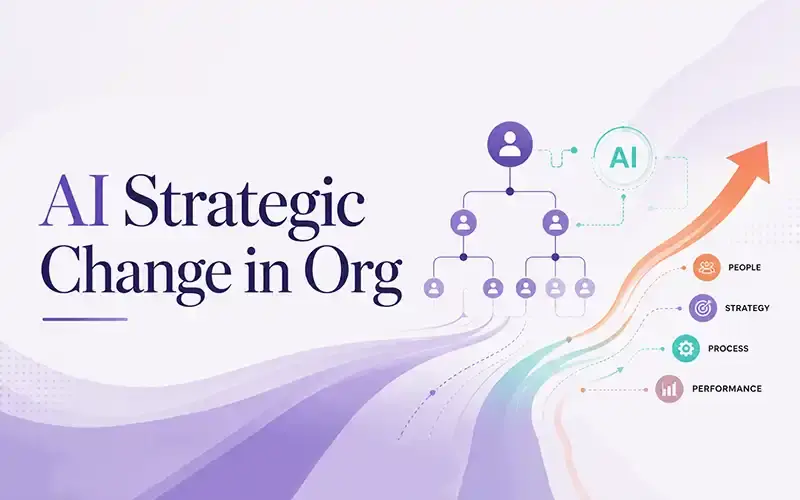
AI Strategic Change in Org
This course explores how Artificial Intelligence (AI) is transforming the way organizations operate, compete, and evolve. It focuses on strategic, organizational, and cultural implications of AI beyond technical aspects. Participants will learn to leverage AI for innovation, process optimization, and data-informed decision-making. The program covers aligning AI with business goals, assessing readiness, and creating an implementation roadmap. Through case studies and frameworks, learners will examine AI-driven transformation, including change management, cross-functional collaboration, and ethical considerations. By the end, participants will be equipped to lead AI initiatives that enhance efficiency, resilience, and long-term value.
- 16 h 4.9 (2998)
You may also like
Check out most 🔥 courses in the market
Certified Information Security Manager (CISM)
The Certified Information Security Manager (CISM) course provides essential expertise in designing, managing, and governing enterprise information security programs. It equips you to align security strategies with business objectives, conduct risk assessments, and implement effective controls. You will learn to manage incident response, evaluate vulnerabilities, and ensure organizational compliance. The program also builds leadership and communication skills to promote a strong security culture. Earning CISM validates your ability to lead security initiatives that protect assets and support business success.
4.8
(2135)
Certified in the Governance of Enterprise IT (CGEIT)
The Certified in the Governance of Enterprise IT (CGEIT) course equips experienced professionals to lead and optimize enterprise IT governance. It focuses on aligning IT strategies with business objectives, maximizing value delivery, and ensuring effective risk and resource management. Participants gain a strong understanding of governance frameworks, strategic alignment, and accountability structures. The course also covers key components such as policies, processes, SLAs/OLAs, and data integrity. Graduates will be able to design, implement, and monitor robust IT governance systems that enhance organizational performance.
4.8
(1743)
Certified Information Systems Auditor (CISA)
The Certified Information Systems Auditor (CISA) course equips professionals to audit, control, and secure IT systems effectively. Participants learn to assess IT governance, evaluate system performance, and manage risks and compliance. The course covers data protection, internal controls, and business continuity planning. It prepares attendees for the CISA exam and roles such as IT auditor, risk manager, and compliance officer. Certification validates expertise in IT governance and adherence to global standards.
5
(2398)
Dora Lead Manager
The DORA (Digital Operational Resilience Act) Lead Manager course equips senior professionals with the skills and knowledge needed to oversee, manage, and ensure compliance with the DORA framework in financial institutions and related ICT service providers. This program covers operational resilience strategies, ICT risk management, incident handling, reporting requirements, and oversight of third-party providers, enabling participants to lead their organizations in meeting the EU’s regulatory expectations effectively.
4.9
(2000)
ISO 9001 Lead Implementer
The ISO 9001 Lead Implementer training course equips participants with the necessary knowledge and skills to support an organization in establishing, implementing, managing, and maintaining a Quality Management System (QMS) based on ISO 9001:2015. This course provides a practical methodology for the implementation process by applying best practices and aligning with international quality management standards. By the end of the course, participants will gain hands-on expertise in leading implementation projects, managing teams, and preparing organizations for certification audits.
4.8
(3000)